What’s New in v4.0.0
This release marks a significant step forward in the platform’s user experience, delivering a modernized interface, improved usability, and a more intuitive workflow that helps users work faster and navigate with greater confidence.
In addition to the UI enhancements, we have added a new Marketplace module. Its first feature, the Amazon Competitive Landscape Report, provides insights into a brand’s competitive position on Amazon and is now available under the Marketplace menu. This powerful addition equips commercial and strategy teams with the market intelligence needed to identify opportunities, benchmark performance against competitors, and make informed decisions that protect and grow your Amazon presence.
Filtering across reports and views is now significantly more intelligent. Block filters automatically cascade based on your selections; meaning related filters instantly update to show only contextually relevant options.
Note: You will continue to have access to the classic UI until July 15, 2026, giving you time to transition at your own pace.
This release also includes a range of usability enhancements and bug fixes, delivering a smoother, more reliable, and more focused product experience overall.
New Features, Enhancements and Fixes
1. Redesigned application experience
We’re excited to introduce a major redesign of the platform’s user interface. This update brings a modern, refreshed look and feel across the entire application, delivering a more intuitive, visually consistent, and seamless experience for every user.
Every screen, component, and interaction have been thoughtfully reimagined, helping you navigate faster, work more efficiently, and get the most out of the platform with a clean, unified visual standard
What’s New:
- Modern Visual Refresh: The entire application has been redesigned with a clean, contemporary look that makes everyday use more pleasant and less cluttered.
- Improved Navigation: Reports and components have been restructured for faster, more intuitive navigation across the platform.
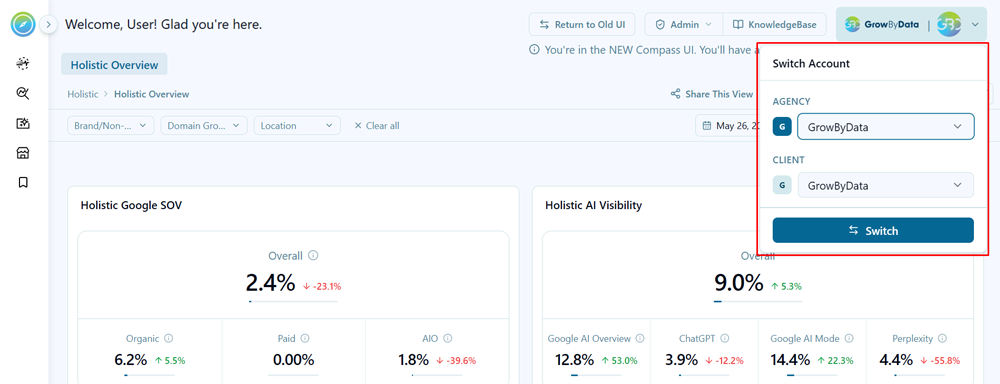
- Quick Account & Agency Switching: A new account switcher is now available in the top-right corner, allowing you to seamlessly switch between agencies and client accounts without leaving your current view.
- Relocated Profile, Feedback & Logout: Your user profile, feedback, and logout are now conveniently accessible from the bottom-left corner of the screen for quicker access.
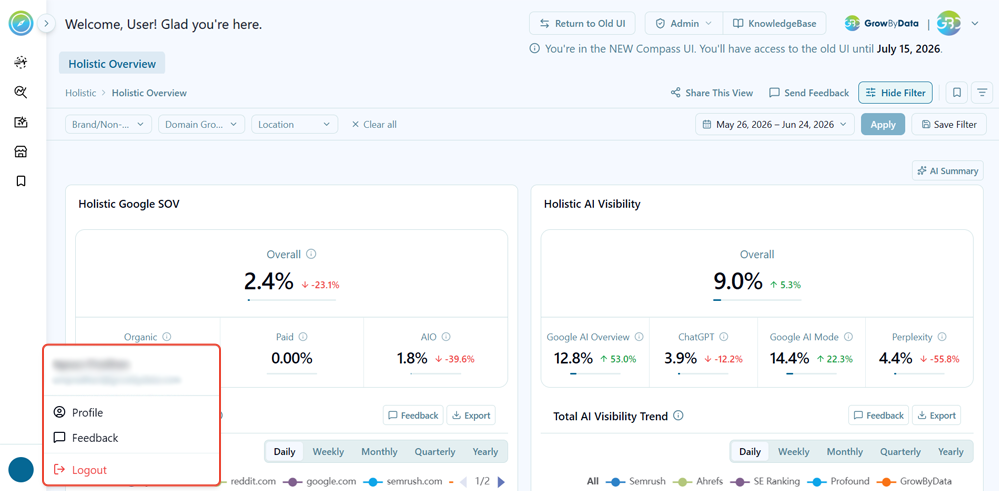
- ChatGBD Renamed to AI Summary: ChatGBD has been renamed to AI Summary, better reflecting its purpose of delivering quick, AI-generated insights.
2. Added Marketplace Module & Amazon Competitive Landscape Report
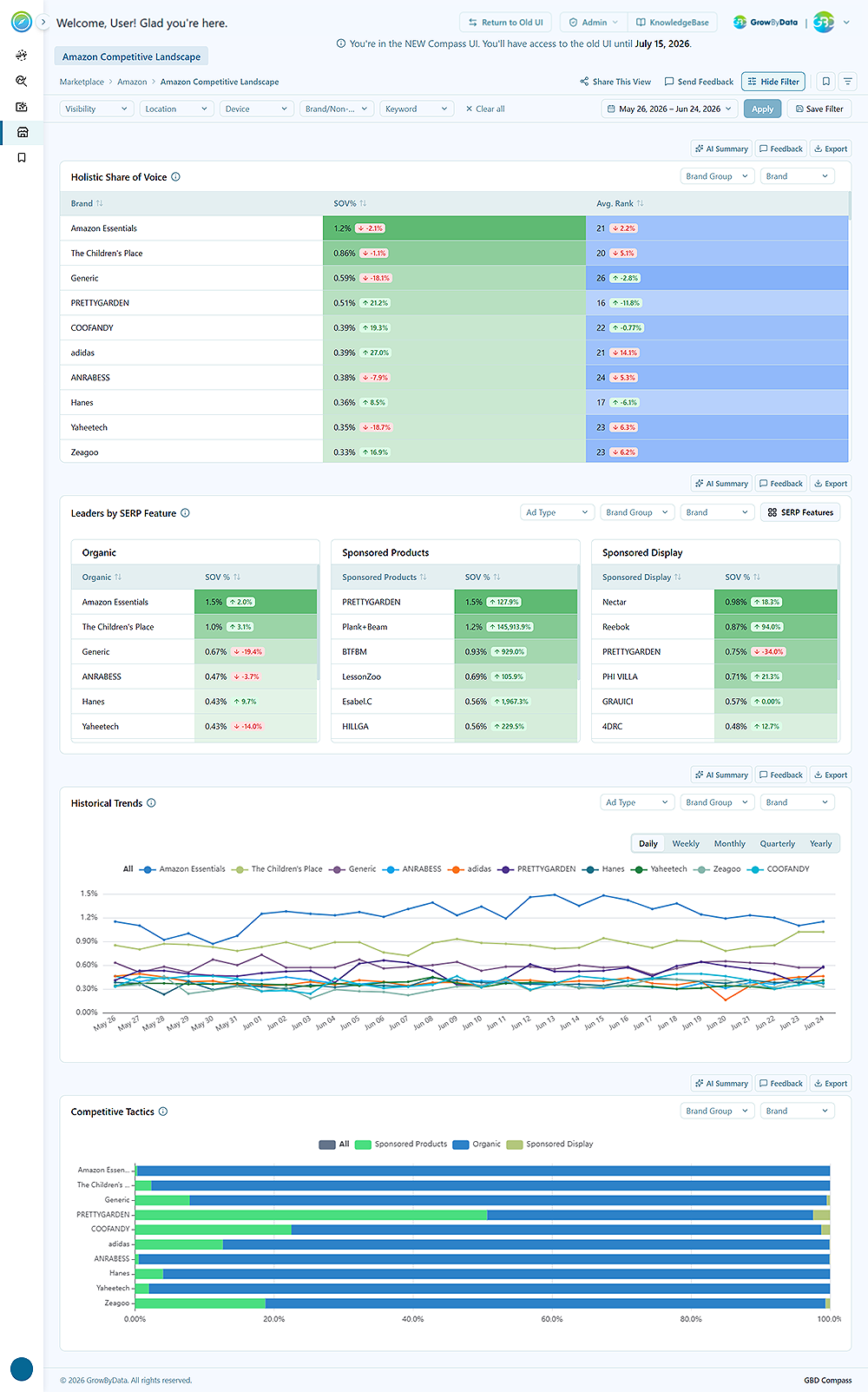
We have added a new Marketplace module. Its first feature, the Amazon Competitive Landscape Report, provides insights into a brand’s competitive position on Amazon and is now available under the Marketplace menu. This strategic addition empowers commercial and strategy teams with actionable market intelligence to identify growth opportunities, benchmark performance against competitors, and make informed decisions that strengthen and expand your Amazon presence.
- Holistic Share of Voice table that showcases the top brands along with their Share of Voice (SOV) and Above the Fold (ATF) visibility, providing an at-a-glance view of brand prominence and on-page presence with the delta (%) to monitor performance trends over time.
- The Leaders by SERP Feature view highlights the leading brands across each SERP feature along with their Share of Voice (SOV%), making it easier to understand which brands dominate high-value search placements and how visibility is distributed across different result types.
- The Historical Trends view presents Share of Voice (SOV%) over time, with historical rank data available as an optional metric to provide a more comprehensive understanding of the competitive landscape. Users can apply filters within the chart to focus on specific SERP Features or brands, while the page-level filters enable deeper analysis and more tailored competitive insights.
- The Competitive Tactics view helps teams understand which SERP formats competitors are leveraging across different categories, offering deeper visibility into market strategy and placement patterns. Page-level filters can be applied to uncover more targeted insights and support more focused competitive analysis.
3. Nested / cascading filters at component / block level
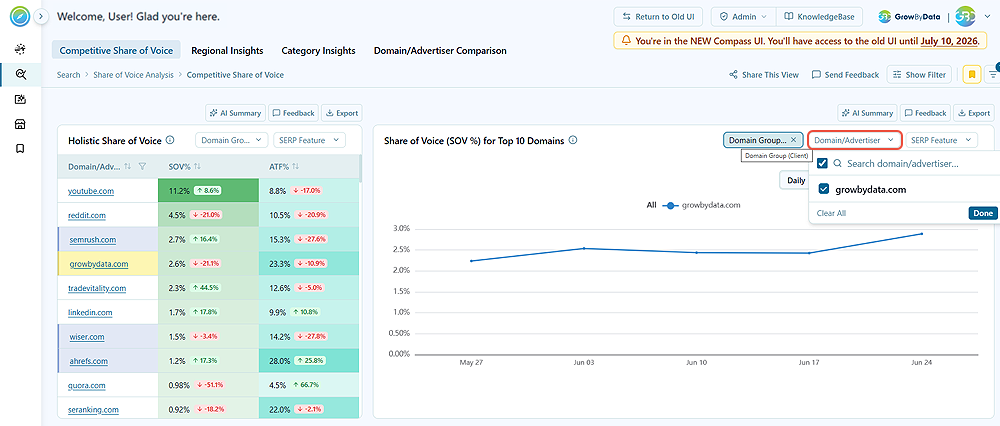
Filtering across reports and views is now significantly more intelligent and intuitive. Component filters automatically cascade based on user selections, dynamically updating related filter options to display only the most contextually relevant choices. This streamlined experience reduces manual effort, eliminates unnecessary guesswork, and enables users to isolate the right data faster with greater precision. As a result, users can work more efficiently with accurate, meaningful segments that support faster analysis and more confident decision-making.
4. Enhancements
Follow-Up on Your Feedback, directly from the Platform
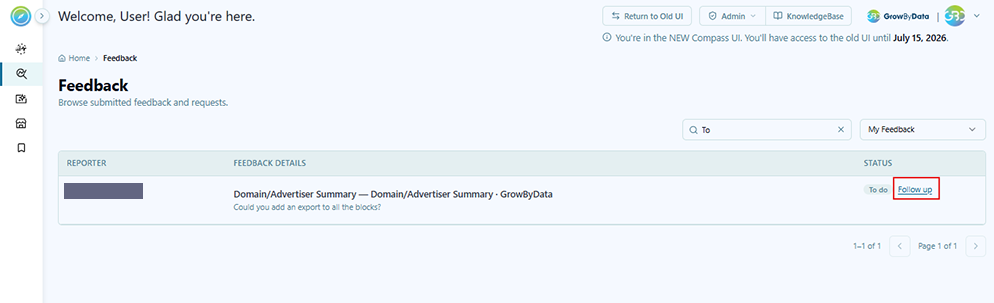
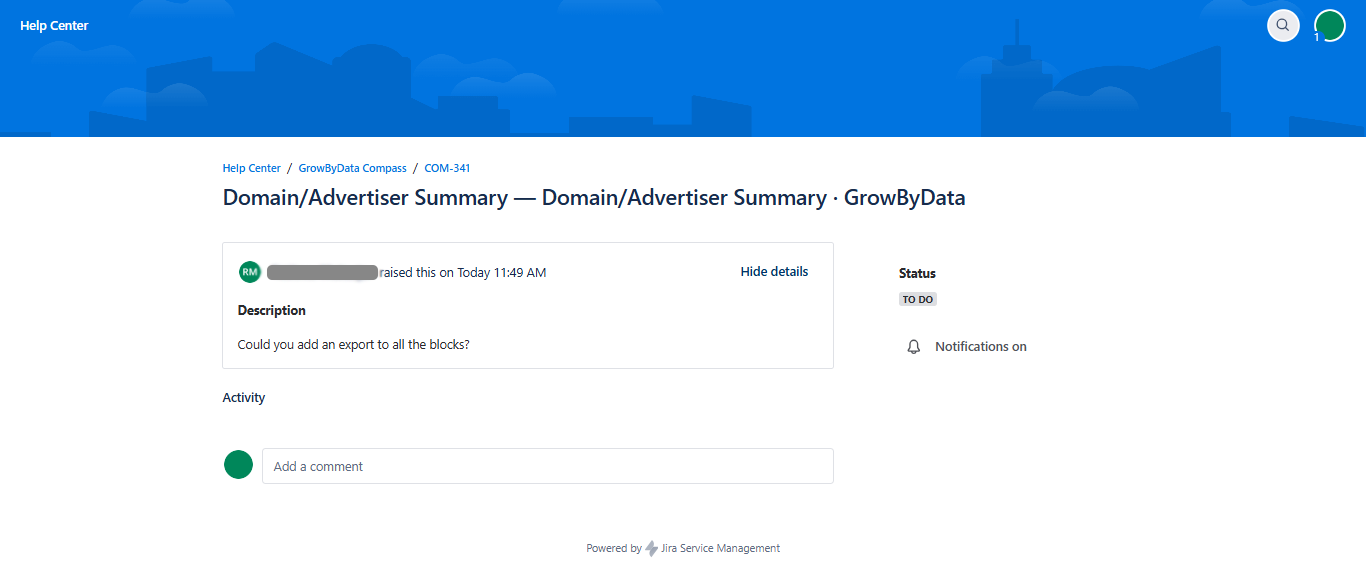
You can now take action on your feedback without leaving the platform. The new Follow-Up feature on the Feedback page enables you to continue conversations directly with the Customer Success team by adding comments, receiving responses, and tracking progress in one centralized location. This ensures greater visibility, accountability, and faster resolution of your requests.
To get started, users must create a support account through the GrowByData Help Center and set up a password. Once your account is activated, you can monitor the status of all requests and ongoing conversations at any time through the Help Center.
Notes
- Newly registered users will automatically receive an account setup email upon registration.
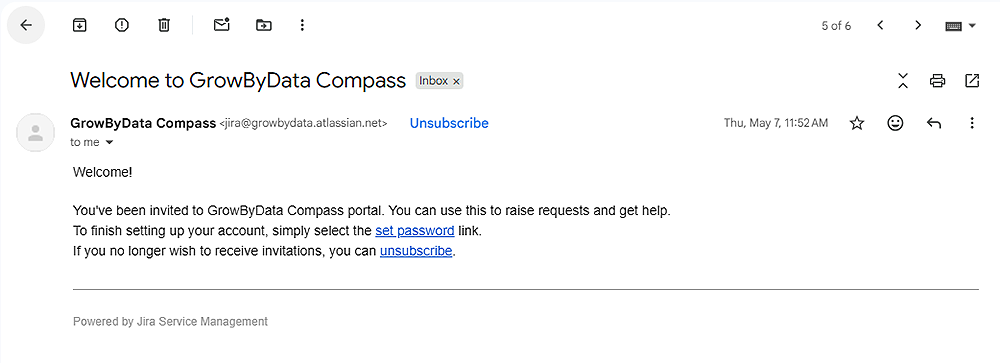
- Existing users will receive a setup email from jira@growbydata.atlassian.net . Simply click the setup password link to initiate the account setup process and begin managing your requests.
- If you haven’t received the email, you can create your service desk credentials directly by clicking the Follow Up button on the Feedback page.