
TL; DR
The new releases deliver powerful enhancements to reporting, visibility analysis, and collaboration. A new Holistic Report provides a unified, high-level view of brand performance across Google Search and AI-driven search, including organic vs. paid share of voice and visibility by AI platform.
To improve productivity, we’ve added Report Bookmarking for quick access to key reports, Saved Filters for consistent and personalized views, and Secure Report Sharing—making product more collaborative and easier to use than ever.
LLM reporting is now even more insightful: new Brand Group and Domain Group filters allow focused segmentation of brand mentions and citation share across AI platforms, and ChatGBD AI summaries are now also available in all LLM reports, providing faster insights that automatically adjust to your selected filters.
This release also includes a range of usability enhancements and bug fixes, delivering a smoother, more reliable, and more focused product experience overall.
What’s New
Introducing Holistic Report
Holistic Report delivers a consolidated, top-level view of brand and domain performance across Google and AI search channels.
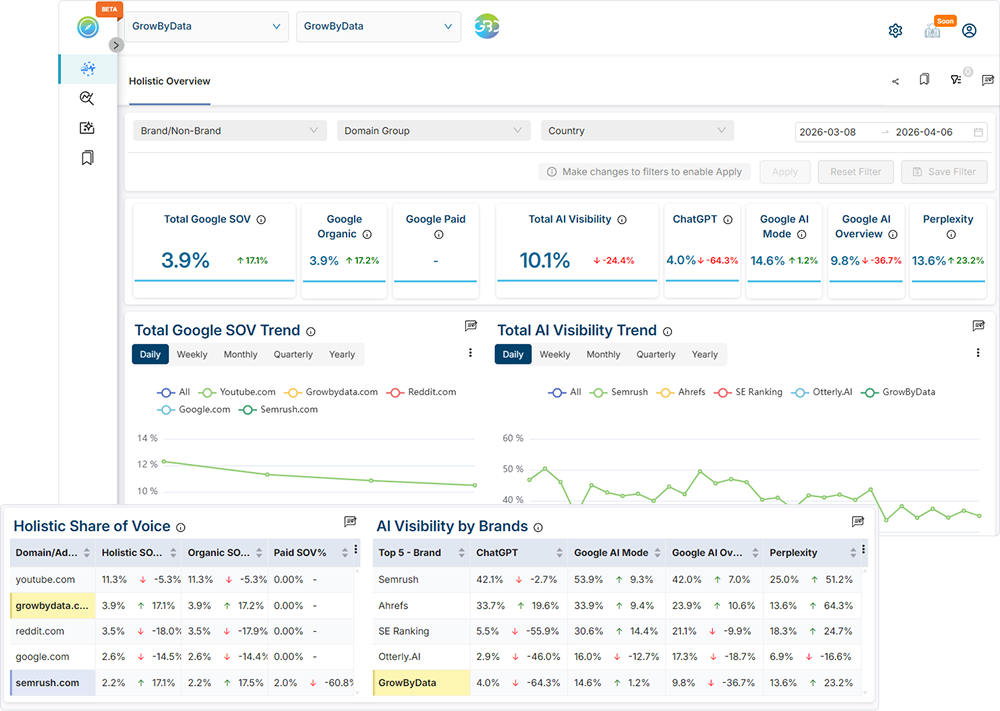
You can now:
- Compare Google share of voice vs. AI search visibility side by side
- Break down Google performance by Organic vs. Paid
- Analyze AI visibility across individual platforms
- See top domains driving performance in each category
This at-a-glance view enables leaders to quickly assess overall brand presence and competitiveness, highlighting where top brands and domains are winning or losing across different search landscapes.
Where to find it: Holistic → Holistic Overview
Introducing Bookmarking Feature in Reports
Report Bookmarking feature, allowing users to save any report for quick access in the My Reports section.
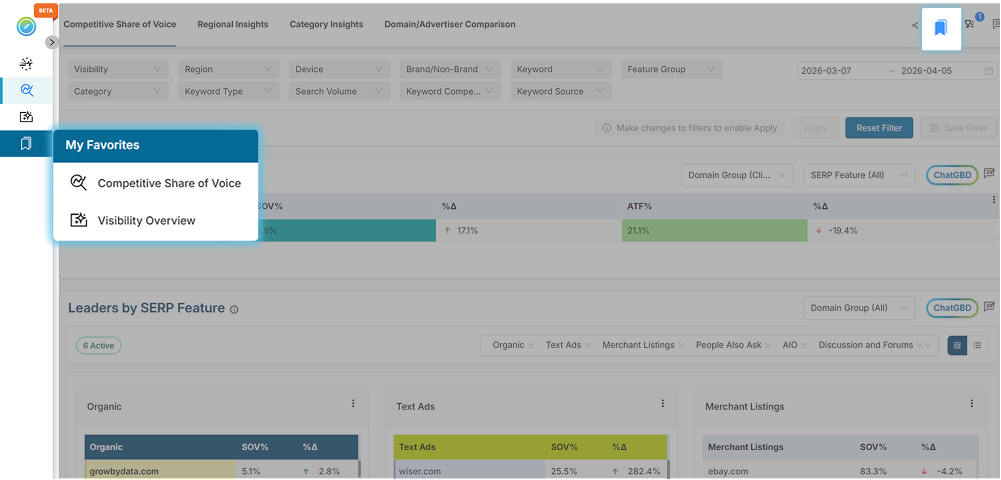
You can now:
- Bookmark frequently used or critical reports
- Skip menu navigation and return to reports in one click
- Improve workflow efficiency and save time
Navigation time is reduced, helping users return to critical insights faster and maintain focus on what matters most.
Where to find it:
The bookmark button in the top-right toolbar lets you add/remove bookmarks; view them under My Favorite in the left navigation panel.
Saved Filters
Saved Filters allow users to capture and reuse customized report views based on selected filters and timeframes.
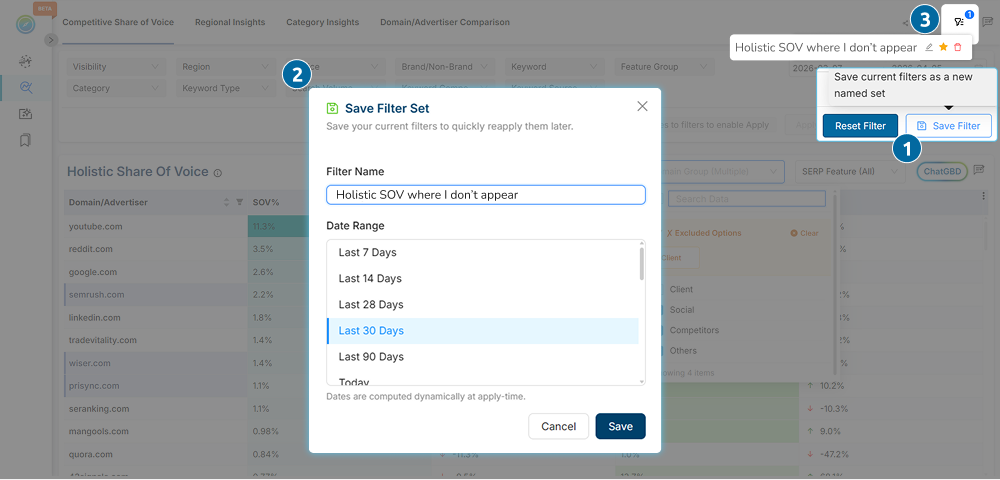
You can now:
- Quickly access important views without reapplying filters
- Save multiple customized views for different analysis needs
- Set default filters to prioritize the insights you use most
Each report maintains its own set of saved filters. Reporting becomes more consistent and personalized, ensuring users always return to the insights that matter most to them.
Where to find it:
Save filters from the filter bar and access them via the top-right Saved Filters list next to the bookmark.
Secure Report Sharing
Secure Report Sharing allows users to share any report view with eligible Compass users directly via email.
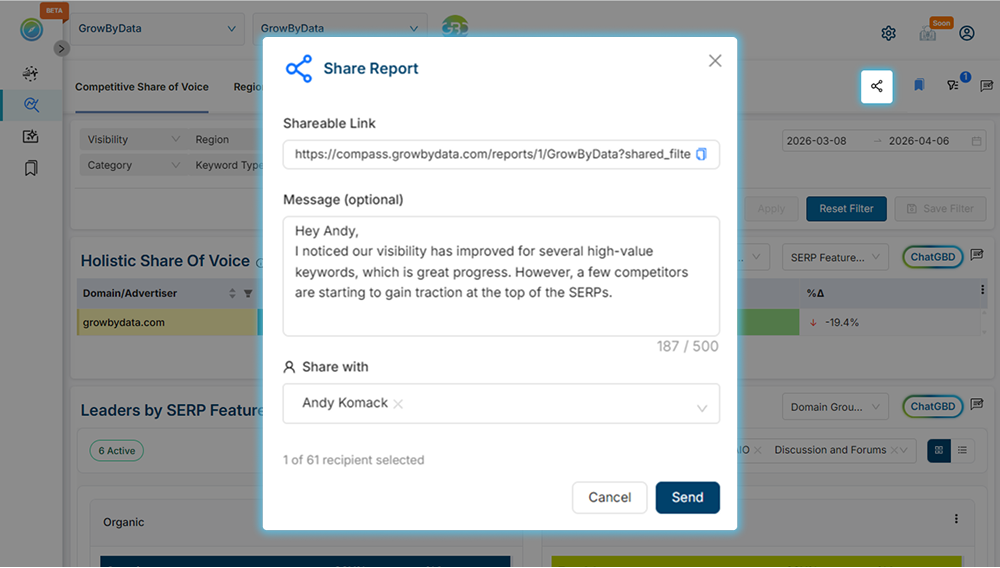
You can now:
- Share reports with filters and date ranges preserved
- Provide context or guidance to the team alongside shared insights
- Collaborate on findings to align teams and drive action
This feature streamlines collaboration, reduces miscommunication, and ensures teams stay aligned on the same data-driven insights.
Where to find it:
The report sharing option is available in the top-right toolbar on any page.
Added Brand Group and Domain Group filters in LLM reports
Brand Group and Domain Group filters let you segment brands and citation domains, focusing your analysis on the most relevant entities in LLM reports.
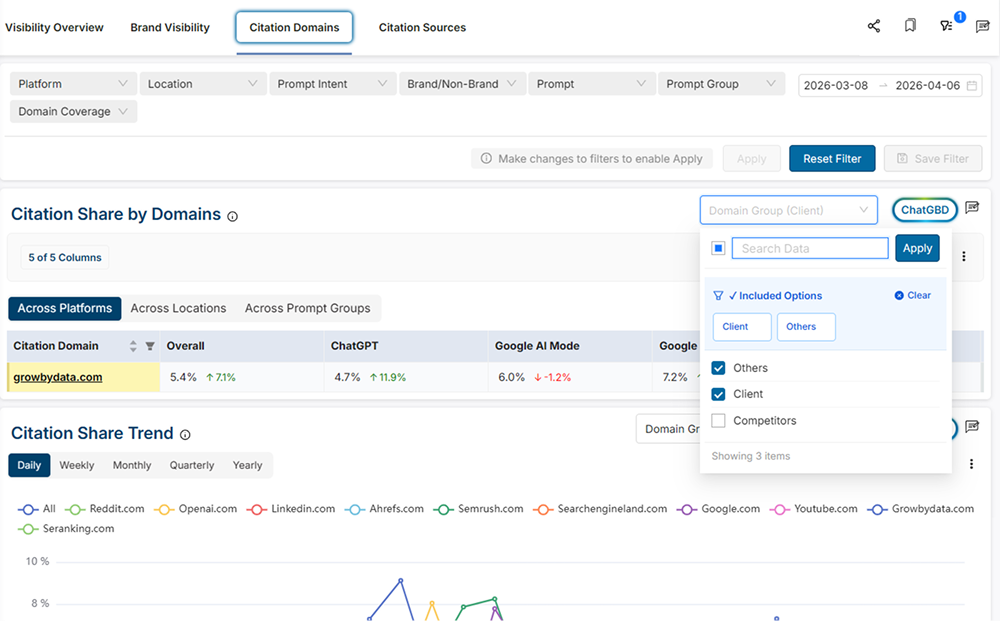
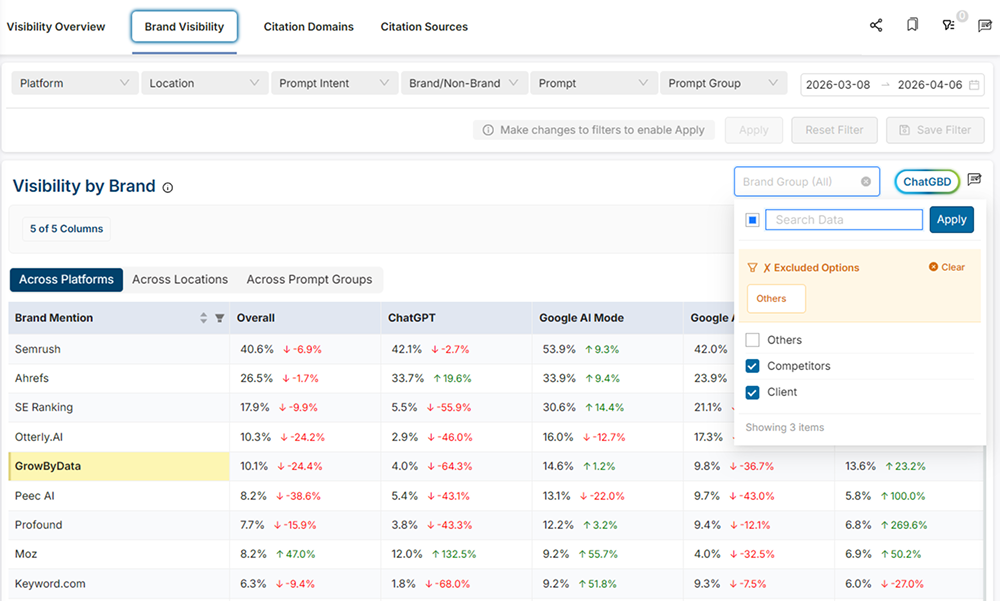
You can now:
- Segment entities into your brand, competitors, and others
- Filter out irrelevant brands and domains for cleaner, more focused analysis
- Compare performance across groups to understand visibility and citation share trends
Where to find it:
- LLM Reports → Visibility & Citations → Brand Visibility
- LLM Reports → Visibility & Citations → Citation Domains
- LLM Reports → Visibility & Citations → Citation Sources
- LLM Reports → Sentiment → Sentiment Overview
- LLM Reports → Sentiment → Sentiment Composition
- LLM Reports → Prompt → Prompt Overview
Enabling ChatGBD for all LLM reports
ChatGBD AI Summaries provide instant, AI-powered summaries across all LLM reports, making it easier to grasp key insights quickly.
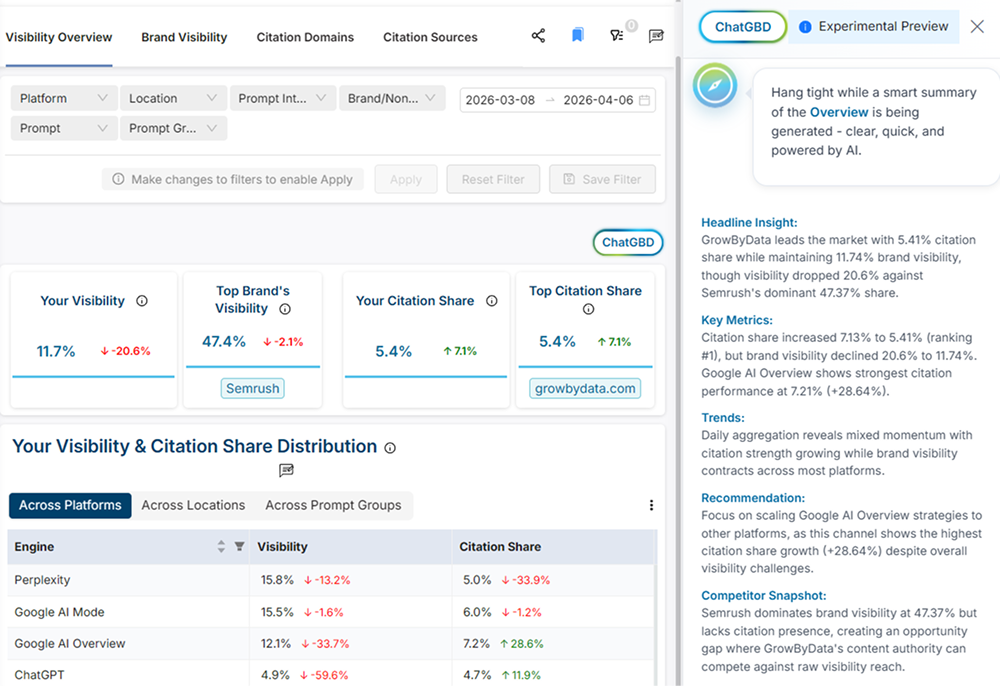
You can now:
- See AI summaries for LLM reports based on your applied filters
- Understand key insights quickly to make faster, more informed decisions
Where to find it: All LLM Reports
Added “Organic” and “Paid” SERP Feature Group filter
SERP Feature Group filter lets you analyze performance at the broader Organic vs. Paid level, simplifying evaluation of overall SERP impact.
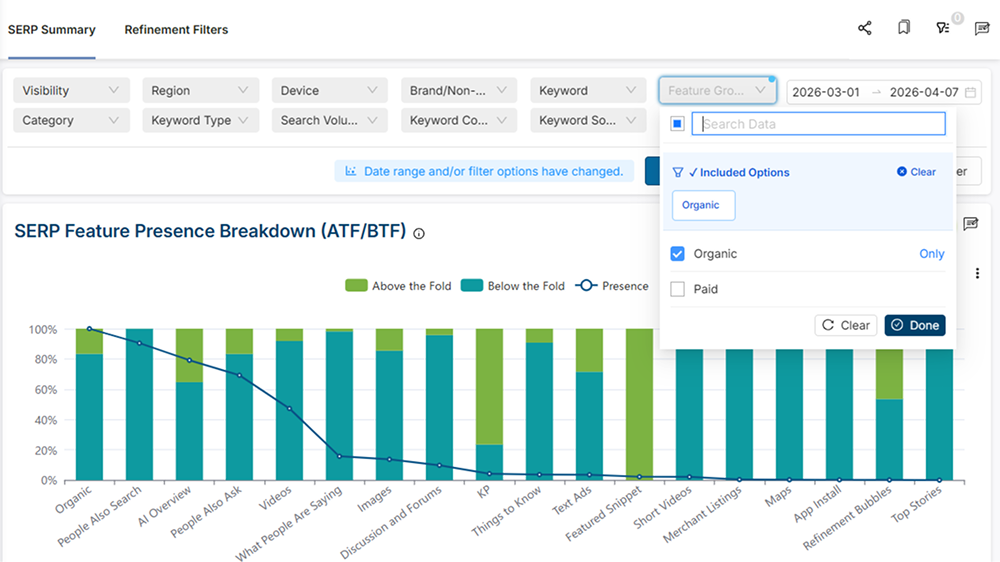
You can now:
- Segment SERP data into Organic and Paid groups without selecting individual features
- Gain clearer insights into organic visibility and paid advertising impact
This simplifies comparison and provides a clearer view of overall Organic vs. Paid visibility.
Where to find it:
- Search → Competitive Share of Voice
- Search → Regional Insights
- Search → Category Insights
- Search → Domain/Advertiser Comparison
- Search → SERP Summary
- Search → Organic Ranking
- Search → Keyword Visibility
- Search → AIO Competitive Landscape