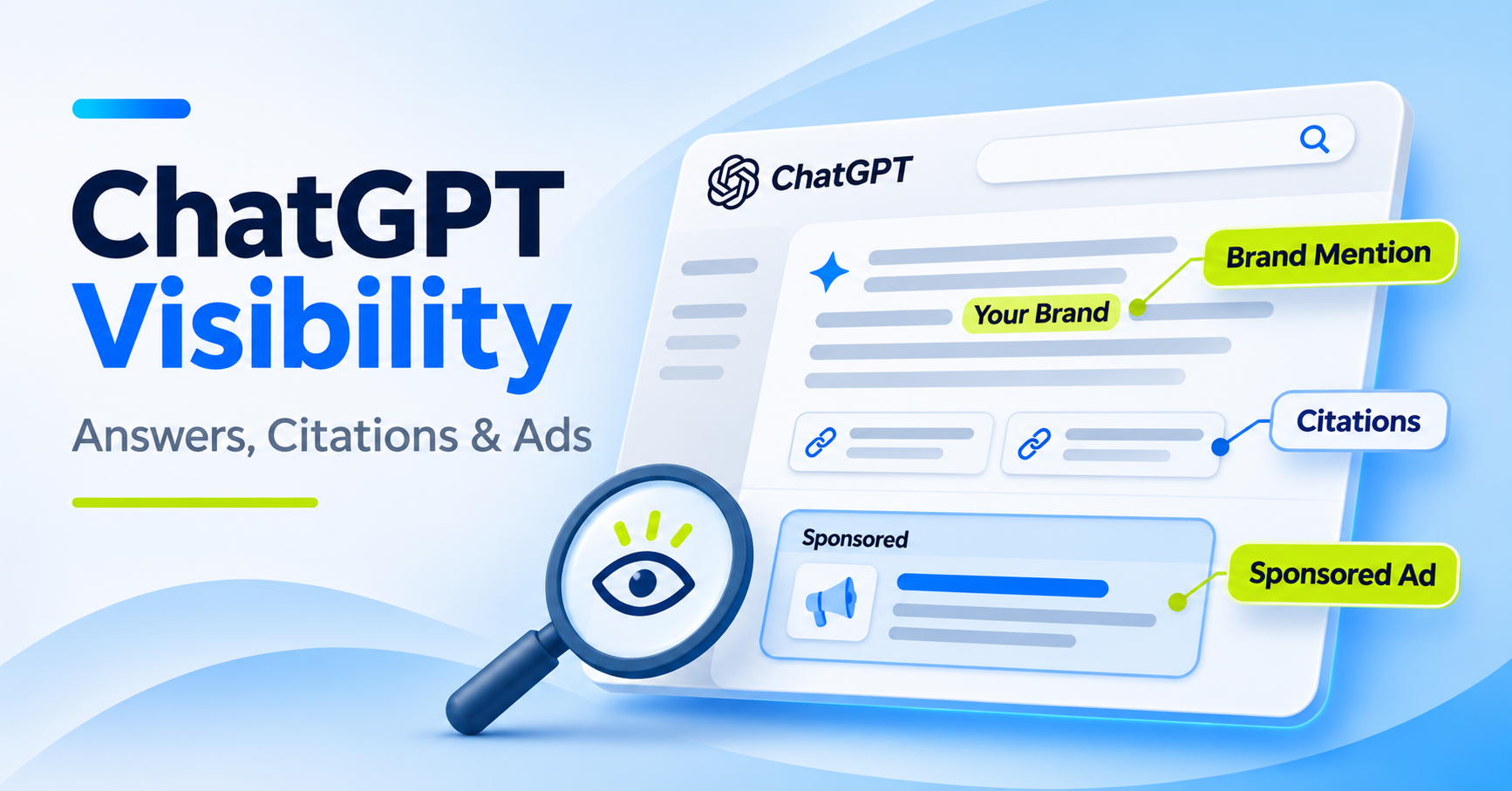
ChatGPT visibility is how often your brand shows up when buyers ask ChatGPT about your category. It covers three things: the answer text, the sources ChatGPT cites, and the sponsored placements now shown below some answers. The three layers move on their own, so you can gain citations while a competitor buys the ad slot on the same prompt.
Our view: measure organic answers, citations and ads on one prompt set. Teams that split them across separate tools end up debating which number is right instead of acting on any of them.
This hub collects GrowByData’s ChatGPT guides, tool comparisons and Market Signals research, organic and paid, in one place.
Start here
- What ChatGPT visibility measures: mentions, citations and ads, and the metric for each
- How ChatGPT ads work: who sees them, where they appear, what OpenAI says about answers
- What our ChatGPT ads data shows: Market Signals studies and our own account
- How to track organic and paid together: a six-step method
- ChatGPT library: GrowByData guides, tool reviews and studies on ChatGPT
What is ChatGPT visibility?
ChatGPT visibility measures whether ChatGPT names your brand, cites your pages, and shows your sponsored placements when buyers ask category questions. It’s tracked on a fixed prompt set over time, because a single answer varies by run, plan type and market. Brand mentions, citations and ads are separate signals, so each needs its own metric.
| Layer | What it tells you | Metric to track | Go deeper |
|---|---|---|---|
| Brand mentions | Whether ChatGPT names or recommends your brand in the answer text | Share of prompts that mention you, list position, sentiment | ChatGPT brand visibility |
| Citations | Which pages ChatGPT uses as sources, yours or a rival’s | Share of answers citing your domain, and the cited URLs | ChatGPT citation analysis |
| Sponsored placements | Which advertisers buy the slot below the answer on your prompts | Ads per 100 searches, and each advertiser’s share of placements | How to track competitor ads in ChatGPT |
One answer can put a brand in more than one layer. Count each layer on its own instead of adding them into a single score.
Most teams we talk to track only the first layer. That hides why an answer changed. When a mention drops, the citation list usually shows which source replaced yours, and the ad slot shows who’s paying to be seen in the meantime.
For the full definition and what drives mentions, read what ChatGPT brand visibility is and why it matters.
See your ChatGPT visibility on your own prompts
Bring the buyer questions and competitors that matter to your team. A GrowByData Compass audit shows where you’re mentioned, which sources ChatGPT cites, and who advertises on those prompts in monitored US sessions.
How do ChatGPT ads work?
According to OpenAI’s Help Center, ad testing in ChatGPT started in the United States on February 9, 2026. It covers OpenAI’s no-cost plan and its low-cost Go plan. Ads appear below a response, are labeled, and are shown separately from the answer. OpenAI says ads don’t influence ChatGPT’s answers.
The same Help Center page sets out these limits (checked November 18, 2026):
- Plans without ads: Plus, Pro, Business, Enterprise and Edu accounts, plus accounts identified as belonging to people under 18.
- Topics without ads: ads aren’t eligible to appear near sensitive topics, including personal health, mental health and politics. Temporary Chats don’t show ads.
- Logged-out sessions: OpenAI says ads shown in logged-out experiences are appropriate for all audiences, so signed-out users can see them too.
- Rollout: OpenAI describes a gradual rollout to eligible users on the no-cost and Go plans in select regions.
That has two consequences for monitoring. First, the ad you see depends on plan, login state, region and topic, so one manual check tells you very little.
Second, ads and answers run on separate systems. Winning the answer and winning the ad slot are different jobs, and they usually sit with different teams.
For a repeatable manual baseline, use our guide on how to track competitor ads in ChatGPT. To compare vendors, see our review of ChatGPT ads monitoring tools.
ChatGPT ads data: 423 sponsored placements in 2,248 US travel searches
In GrowByData’s Market Signals study of 150 travel prompts, ChatGPT showed 423 sponsored placements across 2,248 US logged-out searches from September 12 to October 11, 2026. That’s about 19 ads per 100 searches. Expedia held 95 placements (22.46%), and 117 advertisers appeared at least once.
| Study | Prompt set and period | What we saw |
|---|---|---|
| ChatGPT ads in travel | 150 travel prompts, 2,248 US logged-out searches, September 12 to October 11, 2026 | 423 sponsored placements (about 19 per 100 searches) from 117 advertisers. 68 of the 117 appeared only once. |
| ChatGPT advertising data | Prompts across GrowByData’s client panel, June 2026 | 9.2% of tracked prompts returned a sponsored ad. Transactional prompts showed the highest ad presence. The study doesn’t publish raw counts. |
| GrowByData’s own prompts (GrowByData Compass) | 308 ChatGPT searches on GrowByData’s own tracked prompts, US (New York) logged-out sessions, October 15 to November 13, 2026 | 141 sponsored placements from 52 advertisers. None were GrowByData’s. growbydata.com was mentioned or cited in 69 of the 308 searches. |
The three prompt sets differ in industry, size and period, so their rates aren’t a trend line. A placement is one sponsored ad observed in one search. Placements don’t show spend, bids or clicks.
Our own account is the worked example. Across 308 ChatGPT searches on the questions our buyers ask, growbydata.com showed up in 69. In the same searches, 52 other companies bought 141 sponsored placements, and none of them were ours.
An organic-only report would call that a good month. Read together, the layers show that the ad slot on our own category questions belongs to someone else.
Two limits apply. Our prompt set includes questions that name GrowByData, which lifts our organic count. It’s also one site’s data, not a benchmark.
How do you track organic and paid ChatGPT visibility together?
Track organic and paid ChatGPT visibility on the same prompt set, on a fixed schedule, in your chosen markets and devices. For each run, record whether your brand is mentioned, which domains are cited, and which advertisers appear below the answer. Compare the three over weeks, not single answers, because ChatGPT responses vary between runs.
- Build the prompt set from real buyer questions. Use category, comparison and “best tool for” prompts. Keep prompts that name your brand in their own group so they don’t inflate your rate.
- Fix the conditions. Market, login state and plan type all change what ChatGPT shows. Write them down and keep them constant between runs.
- Run each prompt more than once per period. One answer is an anecdote. In our travel study, the same pet-friendly hotel prompt carried an ad on 3 of 6 runs.
- Record three fields per run. Log the brand mention, the cited domains and URLs, and the sponsored advertiser and creative.
- Read the layers together. A lost mention plus a new cited source points to a content gap. A rival’s ad on a prompt where ChatGPT already recommends you is a positioning question for paid search.
- Report rates with counts. “141 placements in 308 searches” survives a skeptical VP. “High ad presence” doesn’t.
For the organic method, follow how to track brand mentions in ChatGPT. For sources, use ChatGPT citation analysis. The competitor ads guide above covers the paid layer.
What can’t ChatGPT monitoring tell you?
ChatGPT monitoring can’t show a competitor’s ad spend, bids or clicks, or every user who saw an answer. It records what appeared in monitored sessions on your prompts. Treat every rate as an observation from a defined prompt set, market and period, not a count of all ChatGPT activity.
- Spend and performance: observed placements don’t reveal budgets or click-through. Only the advertiser’s own campaign reporting has those numbers.
- Personalization: a signed-in user with chat history can get a different answer than a monitored session.
- Coverage: as of November 2026, GrowByData Compass captures ChatGPT ads in US logged-out sessions. Logged-in, plan-specific and non-US ad exposure aren’t in that view.
Those are real limits. Monitoring is still a far better read on a rival’s ChatGPT strategy than anything you can infer from your own campaign data, which only covers your ads.
How GrowByData tracks ChatGPT visibility
GrowByData is a search and AI visibility intelligence company for enterprise brands, retailers and agencies. GrowByData Compass tracks ChatGPT brand monitoring data, meaning mentions, citations and sentiment, on your prompt set, next to Google AI Mode, Google AI Overviews and Google search results.
On the paid side, ChatGPT Ads monitoring in Compass records sponsored placements by advertiser and prompt (as of November 2026: US, logged-out sessions). Compass doesn’t track Gemini or Microsoft Copilot as of November 2026.
You can also query Compass from inside ChatGPT. See GrowByData Compass in ChatGPT for what the connector does.
ChatGPT library: GrowByData guides, tool reviews and studies
Our ChatGPT guides, tool reviews and research, grouped by the job you’re doing.
Understand ChatGPT visibility
- What is ChatGPT brand visibility, and why it matters: what it measures, why it isn’t a Google ranking, and how to check your own.
- How brands appear in AI search: our first look at how brands show up in AI answers (July 2025).
Track organic mentions and citations
- How to track brand mentions in ChatGPT: the step-by-step method for organic tracking.
- ChatGPT citation analysis: how to track the sources ChatGPT cites.
- ChatGPT citation tracking: why cited sources change and how to catch it early.
- AI shopping visibility: tracking products in ChatGPT and Google AI Mode shopping answers.
Track ChatGPT ads
- How to track competitor ads in ChatGPT: a repeatable prompt method for the paid layer.
- ChatGPT Ads monitoring: how GrowByData Compass records sponsored placements.
Compare tools
- Best ChatGPT monitoring tools for enterprise brands: organic brand monitoring platforms compared.
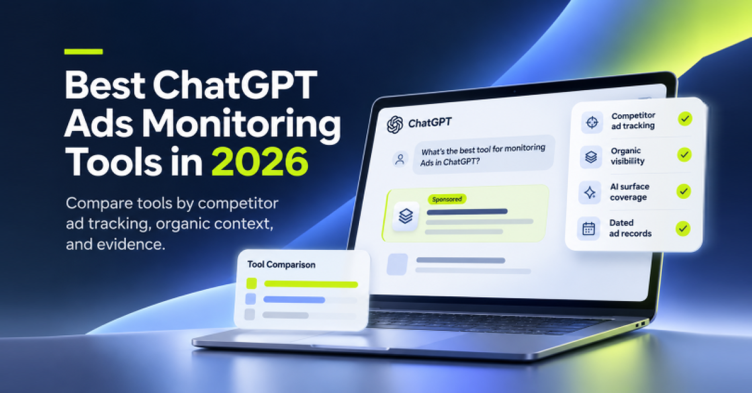
- Best ChatGPT ads monitoring tools: 8 tools compared on competitor ad evidence, coverage and price.
Market Signals research
- ChatGPT ads in the travel industry: 423 placements, 117 advertisers, and who leads the ad slot (September to October 2026).
- ChatGPT advertising data: what our client panel showed in the first full month of ads (June 2026).
- ChatGPT Reddit citations: how often ChatGPT cites Reddit, and what changed.
Use GrowByData Compass inside ChatGPT
- GrowByData Compass is now available in ChatGPT: what the connector does and who it’s for.
- Video: how to connect GrowByData Compass to ChatGPT: setup walkthrough.
- Video: how to get cited in ChatGPT and Google AI: finding citation opportunities with Compass.
ChatGPT visibility FAQ
Can you pay to appear inside ChatGPT’s answers?
No. OpenAI says ads don’t influence ChatGPT’s answers and are shown separately, below a response. Paying buys the sponsored slot, not a mention in the answer text.
Do all ChatGPT users see ads?
No. According to OpenAI, ads may appear on the no-cost and Go plans, but not on Plus, Pro, Business, Enterprise or Edu accounts, or on accounts identified as under 18. Availability also depends on region and topic.
Is ChatGPT visibility the same as AI search visibility?
No. ChatGPT visibility covers one assistant, while AI search visibility also includes Google AI Overviews and Google AI Mode. Most enterprise teams need both, because buyers move between them, and our AI search visibility guide covers the wider set.
How often should you check ChatGPT visibility?
Weekly at minimum for your core prompts. In our travel study, single advertisers drove sharp jumps in ChatGPT ad volume within a few days in October 2026. A monthly check would have missed them.
Why doesn’t my own ad reporting show competitors?
Advertiser reporting covers your own campaigns: impressions, clicks and spend. It doesn’t record which rivals appeared on the same prompts. A competitor view comes from monitoring a prompt set and logging the sponsored placements that show up.
Find out who owns the ad slot on your category questions
If a rival is already buying the placement below ChatGPT’s answers in your category, you want to know before the next quarterly review. Book a GrowByData Compass demo and we’ll walk through your prompts, your citations and the advertisers around them.